Solving a Real Problem
Like many of you, I've collected a drawer full of USB-C cables over the years. And like many of you, I've experienced the frustration of plugging in a "fast" external SSD, only to see abysmal transfer speeds.
The Problem
Recently, I got a new SSD, excited to finally get some quick backups going. Plugged it in, started copying, and watched the progress show hours for a few GB. My immediate thought: DOA drive, or worse, I was scammed.
After some head scratching and cable swapping, I discovered the culprit: a USB-C cable that was only negotiating USB 2.0 speeds. It looked identical to my other cables, but its internal wiring was effectively throttling my transfer rates. It's a common problem, made worse by the visually similar USB-C cables despite their vast range of capabilities.
The Solution
I knew macOS's System Information panel could show me the current USB connection speed, but digging through that every time I connected a new device or swapped a cable was just too much friction for my workflow. I figured there had to be a better way.
So, I decided to build it. I've developed several Mac apps in Swift before, but this was my first dive into menu bar applications and background processes. It was a fun challenge to integrate with the system in a lightweight, background application format.
The Result
The result is USB Connection Information. It's a small menu bar app that displays the active USB connection speed for your devices at a glance. It shows speed, USB version, wattage, device manufacturer, and more. No more guessing, no more deep dives into system panels.
My goal was simply to solve a recurring annoyance I faced, and I hope it can help others avoid similar headaches!
Try It Today
USB Connection Information is available through multiple distribution channels, supporting macOS 14.0 and forward.
The Connection Information Suite
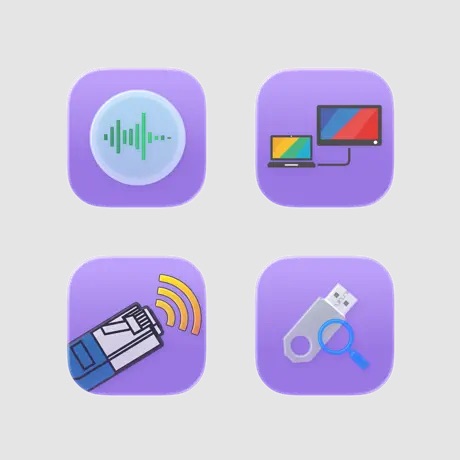
What started as a solution for USB-C cable confusion has grown into a comprehensive diagnostic toolkit for your Mac. The Connection Information Suite brings together four essential menu bar apps that give you complete visibility into your Mac's core connections.
USB Connection Information
The original app that started it all. Instantly see USB connection speeds, versions, wattage, and device information without digging through system panels.
Network Connection Information
Monitor your network connections in real-time. See active interfaces, connection speeds, IP addresses, and network status at a glance.
Display Connection Information
Get detailed information about your display connections. Monitor resolution, refresh rates, color profiles, and display capabilities.
Audio Connection Information
Unlock the true potential of your audio hardware with detailed, real-time monitoring of sample rates, bit depth, channel counts, and device specifications for audio professionals and developers.
Get the Complete Suite
Save over $6 when you purchase the Connection Information Suite bundle instead of buying each app separately.
 Download Suite Bundle
About the Developer
Daniel Gauthier
Independent macOS developer passionate about creating useful tools that solve real problems. I focus on building lightweight, efficient applications that integrate seamlessly with the macOS ecosystem.
What USB Connection Information Does
Real-time Speed Display
See your USB connection speed instantly in the menu bar without digging through system panels.
Device Information
View USB version, wattage, device manufacturer, and other connection details at a glance.
Problem Detection
Quickly identify when your "fast" cable is actually running at USB 2.0 speeds.
Lightweight & Fast
Runs silently in the background with minimal system impact.
Share Your Experience
I'm keen to hear your thoughts, feedback, and if this is a problem you've faced too! Have you ever been frustrated by slow USB transfers or confusing cable capabilities?